
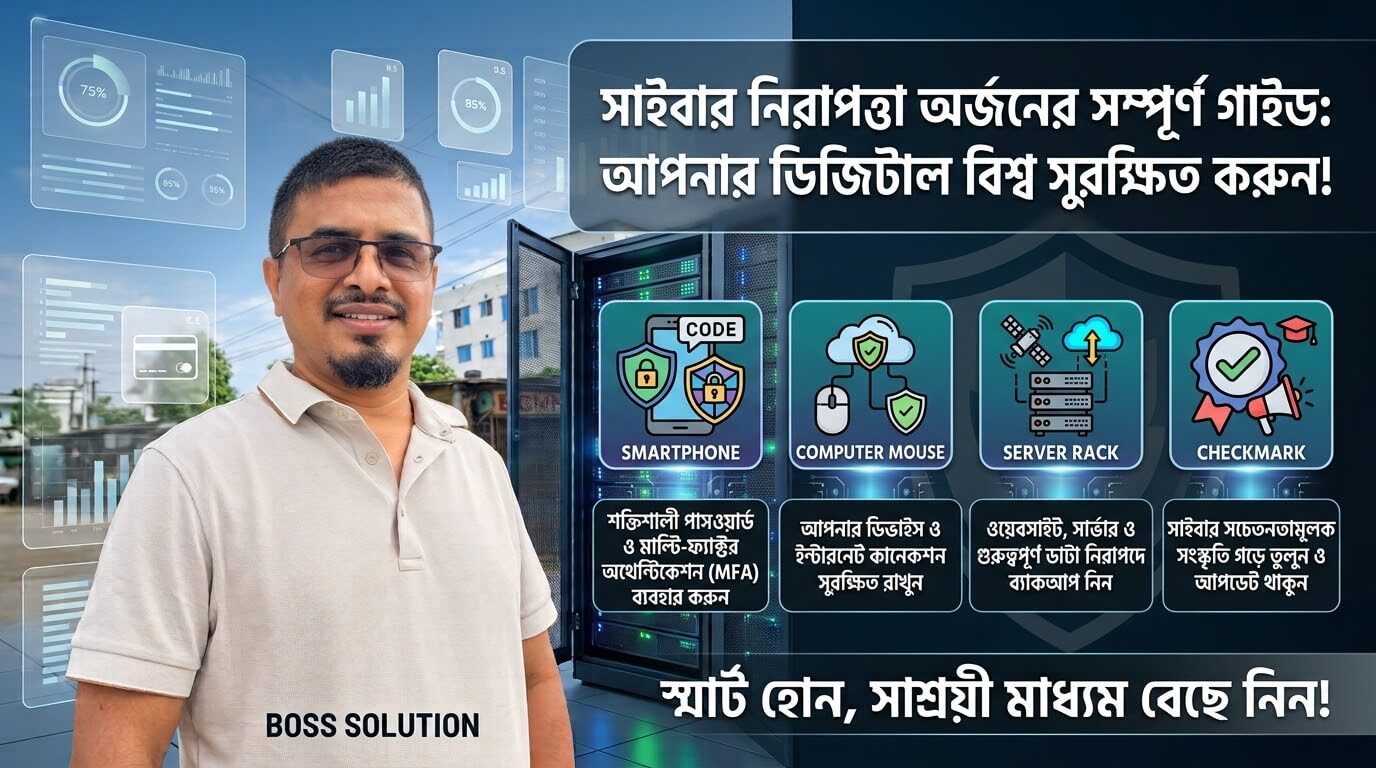
How to Achieve Cybersecurity: A Complete Guide to Protecting Your Digital World
Introduction: Why Cybersecurity Matters
In today's digital world, technology has become an essential part of our personal and professional lives. We use the internet for communication, banking, shopping, education, business operations, and storing important information. However, as our dependence on digital platforms increases, so do the risks associated with cyber threats.
Cybersecurity refers to the practices, technologies, and strategies used to protect computers, networks, applications, servers, and sensitive information from unauthorized access, cyberattacks, data theft, and digital damage.
Achieving cybersecurity is not a one-time activity. It is an ongoing process that requires awareness, proper security policies, reliable technologies, and continuous monitoring. Whether you are an individual, a small business owner, or a large organization, implementing effective cybersecurity measures is essential for maintaining digital safety.
1. Use Strong and Unique Passwords
One of the simplest and most effective ways to improve cybersecurity is to use strong passwords for all online accounts. Weak or reused passwords make it easier for attackers to gain unauthorized access to personal and business information.
Best Practices for Password Security
- Create passwords containing uppercase letters, lowercase letters, numbers, and special characters.
- Use long and unique passwords for every account.
- Avoid using birthdays, names, phone numbers, or common words.
- Never share passwords through unsecured communication channels.
- Use a trusted password manager to store and manage credentials securely.
2. Enable Multi-Factor Authentication (MFA)
Passwords alone are not always sufficient to protect online accounts. Multi-Factor Authentication (MFA) provides an additional layer of security by requiring users to verify their identity through more than one method.
Why MFA Is Important
Even if cybercriminals obtain your password, they may not be able to access your account without the additional authentication factor. Enable MFA wherever possible, especially for email, banking, social media, and server control panels.
3. Keep Software and Systems Updated
Outdated software is one of the common entry points for cyberattacks. Software developers regularly release security updates to fix vulnerabilities and improve system protection across operating systems, browsers, CMS platforms, and server software.
4. Protect Your Network and Internet Connection
An unsecured network can expose sensitive information to attackers. Use WPA2/WPA3 encryption for Wi-Fi networks, change default router credentials, enable firewalls, and use secure VPN connections when accessing sensitive resources remotely.
5. Install Reliable Antivirus and Endpoint Protection
Malware, ransomware, spyware, and other malicious programs can damage systems. Reliable endpoint protection software helps detect, prevent, and remove malicious activities through real-time threat detection and regular scans.
6. Be Careful About Phishing and Social Engineering
Phishing is a common cyberattack in which attackers use fraudulent emails, messages, or websites to steal passwords and financial data. Always check sender addresses, avoid suspicious links, and never share OTPs or PINs.
7. Back Up Important Data Regularly
Data loss can happen due to ransomware, hardware failure, or accidental deletion. Follow the 3-2-1 backup strategy: maintain three copies of important data on two different storage media, with at least one off-site copy.
8. Secure Websites, Servers, and Applications
For businesses operating websites or web applications, install SSL/TLS certificates, use HTTPS across the entire site, sanitize user input, and monitor server logs and suspicious activities regularly.
9. Implement Access Control and Data Protection
The Principle of Least Privilege (PoLP) means giving users only the minimum permissions required to perform their responsibilities. Encrypt sensitive information and review administrative privileges regularly.
10. Monitor Systems and Prepare for Cyber Incidents
Continuous monitoring helps identify suspicious activities early. Develop a practical incident response plan covering preparation, identification, containment, eradication, recovery, and lessons learned.
11. Build a Cybersecurity Awareness Culture
Technology alone cannot achieve complete cybersecurity. Human awareness, responsible digital behavior, and regular training are equally important for employees, students, and everyday users.
Conclusion: Cybersecurity Is a Continuous Responsibility
Achieving cybersecurity requires a combination of strong technical controls, responsible user behavior, regular system maintenance, and continuous improvement. As technology evolves and cyber threats become more sophisticated, our security strategies must evolve as well.
Stay informed, protected, and make cybersecurity a priority every day.
— Mominul Islam
Technology & Cybersecurity Enthusiast
কীভাবে সাইবার নিরাপত্তা অর্জন করবেন: আপনার ডিজিটাল বিশ্ব সুরক্ষার একটি সম্পূর্ণ গাইড
ভূমিকা: সাইবার নিরাপত্তা কেন জরুরি
আজকের ডিজিটাল বিশ্বে প্রযুক্তি আমাদের ব্যক্তিগত ও পেশাদার জীবনের একটি অপরিহার্য অংশ হয়ে উঠেছে। যোগাযোগ, ব্যাংকিং, শপিং, শিক্ষা, ব্যবসা এবং গুরুত্বপূর্ণ তথ্য সংরক্ষণের জন্য আমরা ইন্টারনেট ব্যবহার করি। তবে ডিজিটাল প্ল্যাটফর্মের ওপর আমাদের নির্ভরতা বাড়ার সাথে সাথে সাইবার হুমকির ঝুঁকিও বৃদ্ধি পাচ্ছে।
সাইবার নিরাপত্তা বলতে কম্পিউটার, নেটওয়ার্ক, অ্যাপ্লিকেশন, সার্ভার এবং সংবেদনশীল তথ্যকে অননুমোদিত অ্যাক্সেস, সাইবার হামলা, ডেটা চুরি এবং ডিজিটাল ক্ষতি থেকে রক্ষা করার পদ্ধতি, প্রযুক্তি ও কৌশলকে বোঝায়।
সাইবার নিরাপত্তা অর্জন এককালীন কোনো কাজ নয়। এটি একটি চলমান প্রক্রিয়া যার জন্য সচেতনতা, সঠিক নিরাপত্তা নীতি, নির্ভরযোগ্য প্রযুক্তি এবং ধারাবাহিক পর্যবেক্ষণ প্রয়োজন।
১. শক্তিশালী এবং অনন্য পাসওয়ার্ড ব্যবহার করুন
সাইবার নিরাপত্তা উন্নত করার অন্যতম সহজ এবং কার্যকর উপায় হলো সমস্ত অনলাইন অ্যাকাউন্টের জন্য শক্তিশালী পাসওয়ার্ড ব্যবহার করা। দুর্বল বা বারবার ব্যবহৃত পাসওয়ার্ড হ্যাকারদের জন্য ব্যক্তিগত তথ্য হাতিয়ে নেওয়া সহজ করে দেয়।
পাসওয়ার্ড নিরাপত্তার কিছু সেরা উপায়
- বড় হাতের অক্ষর, ছোট হাতের অক্ষর, সংখ্যা এবং বিশেষ চরিত্র মিলিয়ে পাসওয়ার্ড তৈরি করুন।
- প্রতিটি অ্যাকাউন্টের জন্য দীর্ঘ এবং অনন্য পাসওয়ার্ড ব্যবহার করুন।
- জন্মদিন, নাম বা সাধারণ শব্দ পাসওয়ার্ড হিসেবে ব্যবহার করা থেকে বিরত থাকুন।
- বিশ্বস্ত পাসওয়ার্ড ম্যানেজার ব্যবহার করুন।
২. মাল্টি-ফ্যাক্টর অথেন্টিকেশন (MFA) চালু করুন
অনলাইন অ্যাকাউন্ট সুরক্ষার জন্য কেবল পাসওয়ার্ড সবসময় যথেষ্ট নয়। মাল্টি-ফ্যাক্টর অথেন্টিকেশন (MFA) একাধিক উপায়ে আপনার পরিচয় যাচাই করে সুরক্ষার অতিরিক্ত স্তর নিশ্চিত করে। বিশেষ করে ইমেল, ব্যাংকিং এবং সার্ভার কন্ট্রোল প্যানেলে এটি অত্যন্ত জরুরি।
৩. সফটওয়্যার এবং সিস্টেম আপডেট রাখুন
পুরোনো সফটওয়্যার সাইবার হামলার অন্যতম প্রধান প্রবেশদ্বার। অপারেটিং সিস্টেম, ব্রাউজার, সিএমএস প্ল্যাটফর্ম এবং সার্ভার সফটওয়্যারের নিয়মিত সিকিউরিটি আপডেট ইনস্টল করুন।
৪. নেটওয়ার্ক এবং ইন্টারনেট সংযোগ সুরক্ষিত রাখুন
অরক্ষিত নেটওয়ার্ক সংবেদনশীল তথ্য বিপন্ন করতে পারে। ওয়াই-ফাই নেটওয়ার্কের জন্য WPA2 বা WPA3 এনক্রিপশন ব্যবহার করুন, ডিফল্ট রাউটার পাসওয়ার্ড পরিবর্তন করুন এবং ফায়ারওয়াল সচল রাখুন।
৫. নির্ভরযোগ্য অ্যান্টিভাইরাস এবং এন্ডপয়েন্ট প্রটেকশন ইনস্টল করুন
ম্যালওয়্যার, র্যানসমওয়্যার এবং স্পাইওয়্যার সিস্টেমের ক্ষতি করতে পারে। নির্ভরযোগ্য এন্ডপয়েন্ট সিকিউরিটি সফটওয়্যার রিয়েল-টাইম থ্রেট ডিটেকশন ও নিয়মিত স্ক্যানের মাধ্যমে ক্ষতিকর কার্যকলাপ প্রতিরোধে সাহায্য করে।
৬. ফিশিং এবং সোশ্যাল ইঞ্জিনিয়ারিং সম্পর্কে সতর্ক থাকুন
ফিশিং হলো এমন একটি সাইবার হামলা যেখানে প্রতারণামূলক ইমেল বা ওয়েবসাইটের মাধ্যমে পাসওয়ার্ড চুরি করা হয়। প্রেরকের ইমেল ঠিকানা সাবধানে যাচাই করুন এবং কোনো সন্দেহজনক লিঙ্কে ক্লিক করা থেকে বিরত থাকুন।
৭. নিয়মিত গুরুত্বপূর্ণ ডাটা ব্যাকআপ নিন
র্যানসমওয়্যার হামলা বা হার্ডওয়্যার ব্যর্থতার কারণে ডাটা হারিয়ে যেতে পারে। ৩-২-১ ব্যাকআপ কৌশল অনুসরণ করুন: গুরুত্বপূর্ণ ডাটার তিনটি কপি রাখুন, কমপক্ষে দুটি ভিন্ন স্টোরেজে এবং একটি অফ-সাইটে সংরক্ষণ করুন।
৮. ওয়েবসাইট, সার্ভার এবং অ্যাপ্লিকেশন সুরক্ষিত রাখুন
ব্যবসায়িক ওয়েবসাইট বা অ্যাপ্লিকেশনের ক্ষেত্রে SSL/TLS সার্টিফিকেট ইনস্টল করুন, পুরো সাইটে HTTPS ব্যবহার করুন এবং সার্ভার লগ নিয়মিত মনিটর করুন।
৯. অ্যাক্সেস কন্ট্রোল এবং ডেটা সুরক্ষা নিশ্চিত করুন
ন্যূনতম অনুমতির নীতি (PoLP) অনুসরণ করে ব্যবহারকারীদের শুধুমাত্র তাদের দায়িত্ব পালনের জন্য প্রয়োজনীয় অনুমতি দিন। সংবেদনশীল তথ্য এনক্রিপ্ট করুন।
১০. সিস্টেম মনিটরিং এবং সাইবার ঘটনার জন্য প্রস্তুতি নিন
সন্দেহজনক কার্যকলাপ প্রাথমিক পর্যায়ে শনাক্ত করতে কন্টিনিউয়াস মনিটরিং বা ধারাবাহিক পর্যবেক্ষণ অত্যন্ত কার্যকর। একটি কার্যকর ইনসিডেন্ট রেসপন্স প্ল্যান তৈরি রাখুন।
১১. সাইবার সচেতনতার সংস্কৃতি গড়ে তুলুন
এককভাবে শুধু প্রযুক্তির মাধ্যমে সম্পূর্ণ সাইবার নিরাপত্তা অর্জন সম্ভব নয়। মানবসচেতনতা এবং দায়িত্বশীল ডিজিটাল আচরণ সবার জন্যই সমানভাবে গুরুত্বপূর্ণ।
উপসংহার: সাইবার নিরাপত্তা একটি চলমান দায়িত্ব
সাইবার নিরাপত্তা অর্জনের জন্য শক্তিশালী প্রযুক্তিগত নিয়ন্ত্রণ, দায়িত্বশীল ব্যবহারকারী আচরণ এবং নিয়মিত সিস্টেম রক্ষণাবেক্ষণের সমন্বয় প্রয়োজন। প্রযুক্তির অগ্রগতির সাথে সাথে আমাদের নিরাপত্তাকৌশলও আপডেট রাখতে হবে।
তথ্যবহুল থাকুন, সুরক্ষিত থাকুন এবং প্রতিদিন সাইবার নিরাপত্তাকে অগ্রাধিকার দিন।
— মোমিনুল ইসলাম
টেকনোলজি ও সাইবার সিকিউরিটি অ্যান্থুজিয়াস্ট

Mominul Islamমমিনুল ইসলাম (Mominul Sir) (মমিনুল স্যার)
An educator, programmer, web developer, SEO expert, ethical hacker, and technical and freelance writer.একজন শিক্ষাবিদ, প্রোগ্রামার, ওয়েব ডেভেলপার, এসইও (SEO) বিশেষজ্ঞ, এথিক্যাল হ্যাকার এবং প্রযুক্তি বিষয়ক ও ফ্রিল্যান্স লেখক।