
A shared password makes it difficult to know who accessed a mailbox and to remove one person's access safely. Prefer named accounts with delegated permissions, document recovery ownership and include mailbox review in staff departure procedures. This guide turns that point into a practical review for a Bangladesh-based team, with checks that can be recorded and repeated.
Start with the real need
Business email depends on correct DNS, controlled account access and clear ownership of shared mailboxes. Treat authentication records and mailbox recovery as operational controls; one successful send does not prove reliable delivery. For “Keep Business Email Access Controlled as Staff Change”, write down the current state before making a change: the owner, the systems involved, the customer-facing effect and the evidence that would show improvement. This keeps a reasonable idea from becoming an unmeasured change.
A practical workflow
- Keep the recovery contact and domain renewal path available to the organization.
- Publish and validate SPF, DKIM and DMARC records according to the chosen mail provider.
- Use named accounts, MFA and delegated access instead of sharing one password.
- Test delivery to more than one provider and review bounce and authentication reports.
- Keep a dated record of the decision, test result, responsible person and rollback or follow-up action.
Plan for Bangladesh-based visitors and teams
Check the experience from the networks and devices your audience actually uses. Make contact, pricing, service limits and next steps easy to find; a desktop test or one successful connection does not represent every visitor. Protect personal information, collect only what the task needs and provide a clear way to request help. Business email depends on correct DNS, controlled account access and clear ownership of shared mailboxes. Treat authentication records and mailbox recovery as operational controls; one successful send does not prove reliable delivery.
Measure and improve
Review authentication pass rates, bounce categories, mailbox access reviews and unresolved delivery issues. Choose a baseline and a review date before the work begins. If the evidence is mixed, investigate the affected step and record what remains uncertain instead of claiming a result the data cannot support. Recheck after a provider, application or team change.
How BOSS Solution can help
BOSS Solution’s domain and email-related services may fit your setup; confirm mailbox limits and DNS responsibilities for the chosen plan. This article is general guidance, not a substitute for provider-specific documentation, legal advice or a security assessment.
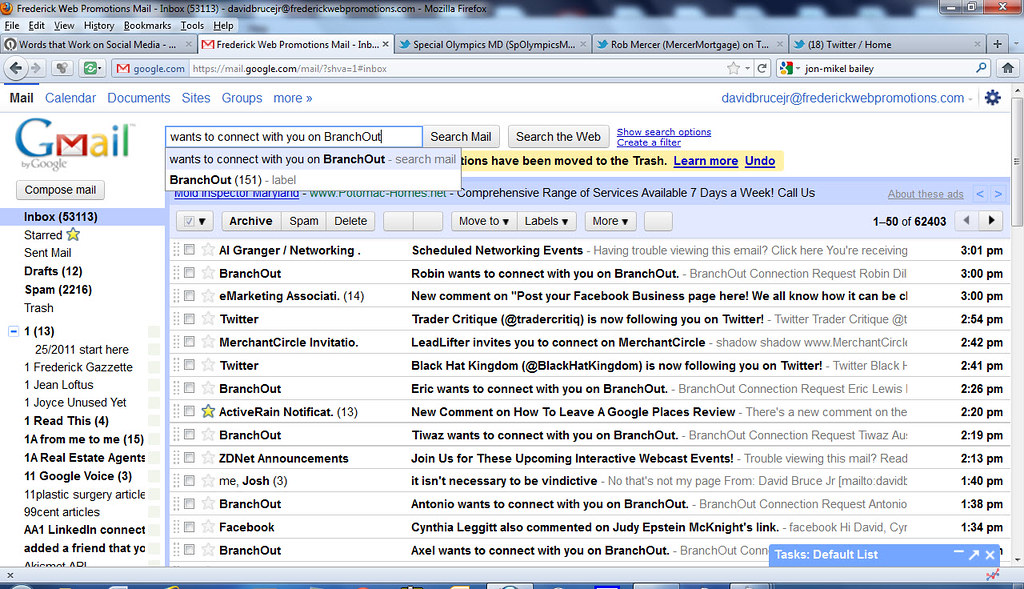
Image credit: "Inbox Triage With Gmail" by Frederick Md Publicity is licensed under CC BY 2.0. To view a copy of this license, visit https://creativecommons.org/licenses/by/2.0/. Source: https://www.flickr.com/photos/31036313@N04/6160077394 License: https://creativecommons.org/licenses/by/2.0/
shared password-এ কে mailbox ব্যবহার করেছে বোঝা ও একজনের access নিরাপদে বন্ধ করা কঠিন। delegated permission-সহ ব্যক্তিগত account ব্যবহার করুন, recovery owner লিখুন এবং কর্মী ছাড়ার প্রক্রিয়ায় mailbox review রাখুন। এই নির্দেশিকায় বিষয়টিকে বাংলাদেশের একটি দলের জন্য ব্যবহারিক পর্যালোচনায় রূপ দেওয়া হয়েছে, যাতে যাচাইগুলো নথিভুক্ত ও পুনরাবৃত্তি করা যায়।
Start with the real need
ব্যবসায়িক ইমেইলের জন্য সঠিক DNS, নিয়ন্ত্রিত account access এবং shared mailbox-এর স্পষ্ট মালিকানা জরুরি। authentication record ও mailbox recovery-কে operational control হিসেবে দেখুন; একটি mail পাঠানো গেলেই নির্ভরযোগ্য delivery প্রমাণ হয় না। “কর্মী বদলালে business email access নিয়ন্ত্রণে রাখুন” বিষয়ে পরিবর্তনের আগে বর্তমান অবস্থা লিখুন: দায়িত্বপ্রাপ্ত ব্যক্তি, সংশ্লিষ্ট system, গ্রাহকের ওপর প্রভাব এবং উন্নতি বোঝার প্রমাণ। এতে ভালো ধারণাও পরিমাপহীন পরিবর্তনে পরিণত হবে না।
A practical workflow
- recovery contact ও domain renewal-এর তথ্য প্রতিষ্ঠানের কাছে রাখুন।
- নির্বাচিত mail provider-এর নির্দেশনা অনুযায়ী SPF, DKIM ও DMARC record যাচাই করুন।
- এক password ভাগ না করে named account, MFA ও delegated access ব্যবহার করুন।
- একাধিক provider-এ delivery পরীক্ষা করুন এবং bounce ও authentication report দেখুন।
- সিদ্ধান্ত, পরীক্ষার ফল, দায়িত্বপ্রাপ্ত ব্যক্তি এবং rollback বা follow-up কাজের তারিখসহ নথি রাখুন।
Plan for Bangladesh-based visitors and teams
আপনার audience যে network ও device ব্যবহার করে, সেখান থেকে অভিজ্ঞতা যাচাই করুন। যোগাযোগ, মূল্য, সেবার সীমা ও পরবর্তী ধাপ সহজে খুঁজে পাওয়ার ব্যবস্থা রাখুন; desktop-এ সফল পরীক্ষা সবার অভিজ্ঞতা ধরে নেওয়া যায় না। ব্যক্তিগত তথ্য সুরক্ষিত রাখুন, কাজের জন্য প্রয়োজনীয় তথ্যই সংগ্রহ করুন এবং সহায়তা চাওয়ার স্পষ্ট উপায় দিন। ব্যবসায়িক ইমেইলের জন্য সঠিক DNS, নিয়ন্ত্রিত account access এবং shared mailbox-এর স্পষ্ট মালিকানা জরুরি। authentication record ও mailbox recovery-কে operational control হিসেবে দেখুন; একটি mail পাঠানো গেলেই নির্ভরযোগ্য delivery প্রমাণ হয় না।
Measure and improve
authentication pass rate, bounce-এর ধরন, mailbox access review এবং অমীমাংসিত delivery সমস্যা পর্যালোচনা করুন। কাজ শুরুর আগেই baseline ও review date ঠিক করুন। ফল মিশ্র হলে সমস্যার ধাপ অনুসন্ধান করুন; তথ্য সমর্থন করে না এমন দাবি না করে অনিশ্চয়তা নথিভুক্ত করুন। provider, application বা দলের পরিবর্তনের পর আবার যাচাই করুন।
How BOSS Solution can help
BOSS Solution-এর domain ও email-সম্পর্কিত service আপনার ব্যবস্থায় মানানসই হতে পারে; নির্বাচিত plan-এর mailbox limit ও DNS দায়িত্ব যাচাই করুন। এই লেখা সাধারণ নির্দেশনা; provider-এর documentation, আইনি পরামর্শ বা security assessment-এর বিকল্প নয়।
ছবির স্বীকৃতি: "Inbox Triage With Gmail" by Frederick Md Publicity is licensed under CC BY 2.0. To view a copy of this license, visit https://creativecommons.org/licenses/by/2.0/. উৎস: https://www.flickr.com/photos/31036313@N04/6160077394 লাইসেন্স: https://creativecommons.org/licenses/by/2.0/